
Building MCP servers in the real world
How engineers and teams use MCP servers: from debugging to working with legacy systems, & giving non-devs more access. Details from 40+ devs – with some surprises


The Model Context Protocol (MCP) was released almost exactly a year ago by Anthropic, and today, MCP is enjoying quite a moment, with strong growth in the numbers of devs building MCP servers. That might be related to MCP servers being a great way to give agents like Claude Code, Cursor Agent, and other LLMs new capabilities to use services, query documentation, and be more efficient. Adoption is widespread and diverse, across cutting-edge startups and regulated industries like aerospace alike.
One year on, how are engineering teams using this technology, and what does that teach us? To find out, we collected input from 46 software engineers who build and use MCP servers at work, and talked with Jeremiah Lowin, CEO of Prefect and creator of FastMCP, the leading MCP framework for Python, and Den Delimarsky, core MCP maintainer and Principal Engineer at Microsoft.
Thanks to everyone who shared their experience of building with MCP.
Today, we cover:
MCP fundamentals. Brief recap of the protocol.
Usage realities. Internal MCP server usage outpaces its public usage, business stakeholders are heavy MCP users, and other details.
How teams use MCP. Based on a dozen use cases, there are varied ways of using it.
Popular public MCP servers. Stats from widely-used public MCP servers operated by Sentry and Linear, plus an odd conjunction of thousands of DAUs and millions of daily sessions.
Security considerations. Security’s still the Achilles heel of MCPs and LLMs. There are some sensible security practices for treading carefully in the space.
Learnings from building MCPs. Start small and local, choose the development language carefully, design primitives for agents and not humans – & more.
Useful tools for building MCP servers. FastMCP, MCP Inspector, and Cloudflare’s remote MCP guide among the top mentions.
Our look into MCP usage suggests that using, building, and maintaining MCP servers are on the way to becoming part of the software engineering toolset; perhaps they already are. Meantime, best practices are still taking shape. Let’s get into it:
Full subscribers have access to the 35-page, even more detailed MCP report, which accompanies this deepdive. Get it here.
1. MCP fundamentals
The MCP protocol was released in November 2024 and was developed by two software engineers at Anthropic, David Soria Parra, and Justin Spahr-Summers, who started work on it that July.
The protocol aims to be the “USB-C” layer for AI applications. It’s a standardized protocol to connect Clients (chatbots, IDEs, AI applications) to Servers (data, files, and tools). Here’s how the protocol works, at a high level:

With MCP, you can do handy things like:
Implement a ticket. Tell the agent inside Cursor to implement TICKET-123 in Linear.
Interactive debugging. Tell Claude Code to verify that the feature implemented in TICKET-123 in tools like Linear/JIRA works as expected, or by inspecting logs inside Sentry, Statsig, and other production systems.
Query databases. Ask your agent running in the IDE: “How many new signups were there last week?” With a database MCP connector, the agent goes and writes the right query and returns the result.
For devs, a very practical use case is to add MCP servers for preferred agents, then instruct the agent to do more complicated workflows involving one of the added tools. Thanks to having access to tools via MCP – boom! – the agent becomes a lot more capable!
We cover the origin of MCP and how it works in depth, in the deepdive MCP Protocol: a new AI dev tools building block.
2. Usage realities
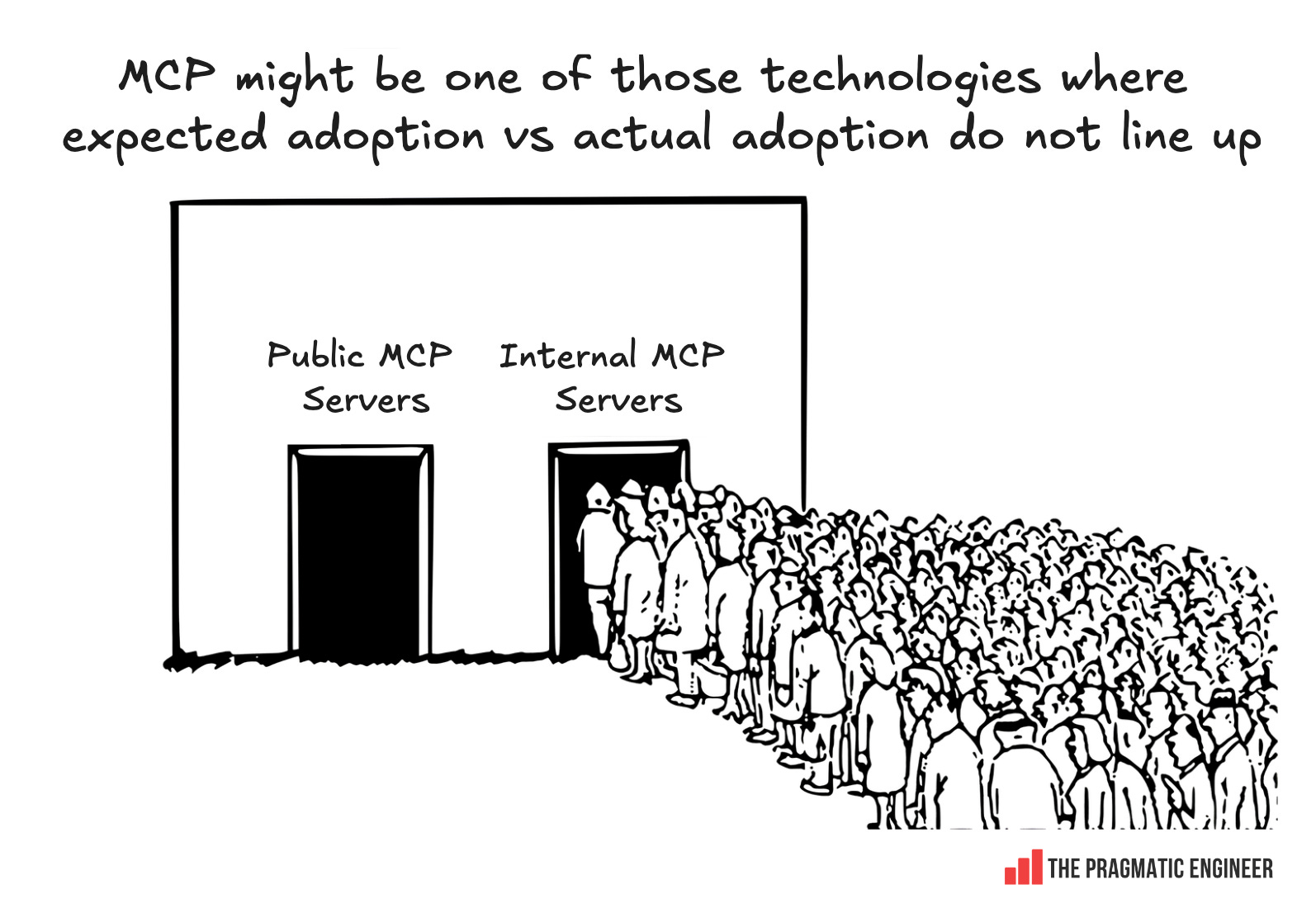
When it comes to MCP adoption, there’s a view that there are many times more MCP servers than users, as per a popular meme in the space:

But the survey paints a nuanced picture, as shown by three unexpected details about the adoption:
#1: internal MCP server usage >> public MCP server usage. FastMCP creator Jeremiah Lowin told us:
“One of the most interesting things that we [at Prefect] have observed is that we expected to see every company launch an MCP server, and that their customers would begin interacting with them in that way. But that is not what is happening. Many companies are launching MCP servers, but not publicly.
There are perhaps 10 MCP servers that are heavily used, from major developer-facing companies. Then, there’s this massive long tail of public servers with close to zero users, built for personal use.”
The public-facing server stats tally with what Prefect was seeing, of far higher adoption. They figured out that the reason was that most MCP servers stay internal-only and not in public.
#2: Business stakeholders are heavy MCP users. Again, from Jeremiah:
“Turns out, MCP is being used especially heavily by internal data and platform teams to give internal users access to systems. These are systems that these users perhaps already had access to, but it was either too complex or too broad, or needed a lot of documentation or special skills to use.
We also came across interesting cases where users didn’t have access to a system because the team owning that service didn’t have a trusted way to build a workflow to make those tools available.
Almost every team that we talk to now is an internal team serving internal stakeholders, including non-engineers, and using MCP as the technology to do it.
My colleague recently said that he thinks that MCP will replace ‘Self-service Business Intelligence.’ This replacement is especially likely once there’s a really established way to just build dashboards from what comes out of it. It’s almost like the promise of The Semantic Layer in the data world is actually being realized through MCP in a way that never quite got out of the barn”.
#3: Median MCP user. This user might be different from some expectations; my initial idea of a dev using MCP is someone who connects a Linear or Figma MCP server to their agent to get things done faster. But Jeremiah says not:
“The median MCP user is someone who says something like: ‘I want to access my company’s own data warehouse through an MCP server’, and uses an internal MCP that they connect to the agent they’re using.”
This observation lines up with many MCP users not being developers; they’re business folks who want to generate reports and dashboards, and use MCP servers as connectors to internal systems.
So, what’s with the “more builders than users” opinion? Jeremiah answered:
“If all I saw was external-facing tooling, then I would agree with the observation of there being more builders than consumers. In that case, I would see a sea of people promoting junk MCP servers to an audience of zero, and I would probably draw the same conclusion. But empirically, I disagree [with the meme above], based on the usage data I see: there are lots of internal MCP servers built, which are built to be used.”
This is probably it: the observation that most public MCP servers have few to zero users is correct, but it’s not the case that there are more MCP builders than users. Actually, most users are inside companies which makes them invisible.
Why internal usage makes sense
MCP has many limitations currently which work against public-facing usage, such as:
Controlling both server and client. When an MCP server is built internally, you know what the client will be, and build for that client. It might be an internal LLM application, or a tool the company uses. By controlling both the client and the server, you can build useful capabilities into the server. But when only controlling the server, the MCP server might need to be “dumbed down” to serve simple MCP clients.
Security. Still an open-ended question – as covered below. For a protocol with security question marks, it’s safer to keep usage within the company firewall.
Elicitation is a good example of when internal MCP servers make more sense than external ones. Jeremiah explains:
“Elicitation is like a confirmation in the middle of a tool call, to ask you to provide some structured input, like a ‘true’ or ‘false’ or ‘confirm’ or ‘cancel’, etc. And that’s great, and you can use that in your server. But if the client being used doesn’t support it, and most clients don’t support it, then you brick the entire conversation. So what do you do if you’re PayPal, at that scale? You choose not to use that feature, which you would think is the obvious thing to put into a confirmation of moving funds, or something. So, all of a sudden, you find your external use cases being boiled down to this lowest common denominator of client ability”.
3. How teams use MCP
There are an abundance of ways that teams are using MCP. A roundup of examples reported to us:
Better dev workflows
Connecting AI agents to ticketing systems and CI/CD systems is a common use case which devs shared with us:
GitHub MCP is frequently mentioned for:
Interacting with a repo: create PRs, trigger Agent Copilot, search for release history, etc.
Working across several repos: at companies where projects are split across repositories, creating PRs that span many is easier with GitHub MCP.
AI agent + ticketing system. A backend developer at a small startup shared with us: “The integration with Atlassian Rovo allows me to commit, push, and create a merge request in a single command with Claude Code.” Substitute Atlassian with any ticketing system, or Claude Code with any agentic dev tool.
Unsurprisingly, internal MCP servers are a popular means for using dev tools. Here’s a software engineer on how they do it:
“We’ve only used internally built MCPs due to how much we tailor our API usages.
We’ve built our own MCP servers for GitHub, JIRA, Datadog, Buildkite and many others. We are still engaging with them in new ways, but it’s reshaped how we work with agentic AI and integration with crafting sandboxes.”
MCP servers reduce context switching in these cases; previously, devs needed to context switch between the browser and IDE/CLI, whereas now they can do the same work by interacting with an agent. I’d say that the time and effort savings are minor, but us devs can be selectively lazy; so, if you can do it with a prompt, why switch between two or more tools!
From a ticket to a v1 version
Bootstrapping work is another common usage of MCP servers. Devs use the MCP server of their ticketing system and kick off a coding agent:
Linear MCP: “The Linear MCP allows us to simply paste in a link to an issue and ask an AI like Cursor or Claude Code to complete the ticket.” – software engineer.
Confluence MCP: “We use it to search for relevant documentation, update JIRA tasks, and read descriptions to bootstrap work.” – Lukas Kurucz, React Native engineer at language learning platform Preply.
Atlassian + GitHub + Confluence MCP: also from Lukas, a case of MCPs working together: “I use Atlassian MCP to create new documentation for changes based on PR on GitHub. Copilot will read code changes via GitHub MCP and create a doc on the changes in Confluence”.
Figma MCP is a popular mention among devs in our research, with several using it to turn Figma designs into code. Figma offers a hosted remote server, and a local server that can be used with the Figma desktop app:
“The Figma MCP server has been handy for implementing Figma designs into React Native UI code. Cursor Agent mode, using the tools available on this server often does an excellent job of creating a first draft of code that can be improved in future agent loops. The official MCP from Figma has been consistent for me since I started with it, and uses the existing authentication from the Figma desktop app”. — Joshua Yoes, Staff Engineer at Infinite Red.
“Figma MCP is a good one — it works well with Jira Atlassian MCP to bootstrap work for new JIRA tasks”. – Lukas Kurucz.
Debugging
Connecting error tracking and observability tools is another popular use case:
Observability MCP server: “We built an MCP server to access observability data. We are now pulling this observability data into Claude Code so that it can directly cross-reference errors with code changes and potential causes. Also, to analyze slowdowns / expensive database queries. That way, Claude Code has access to performance data and full schemas.” – Ben Blackmore, CTO, observability startup, Dash0.
Sentry MCP + Cursor: “Sentry’s MCP server is fairly useful; I’ll give Cursor a link to a Sentry issue and ask it to troubleshoot and create a plan for fixing the issue.” — Principal engineer at a late-stage startup.
In-house Rollbar MCP: “We paste in a link to a Rollbar issue (Rollbar is an error tracking service) and the AI is then able to read the stack trace of the error, find the exact line of code in our codebase, fix it, and push a PR. We built our own Rollbar MCP server because there wasn’t an official one at the time”. – Software engineer at a startup.
Testing
Running browser automations with MCPs: using the MCP servers of browser automation frameworks like Playwright and Puppeteer is a no-brainer for some frontend devs:
“Browser automation via Playwright’s accessibility tree. Interact with and test web apps deterministically via MCP.” — Software engineer at a self-driving startup
“I’ve started using the Playwright MCP for giving the assistant context on what the frontend implementation looks like.” — Developer at a consultancy
“Puppeteer is helpful for UI changes; I’ll tell Cursor what local URL to visit and what it should see or what issues to look for.” — Andrew Minion, platform engineering manager at travel tech company iVisa
Making specialized testing options available to all devs: a systems development engineer at a mid-sized company said:
“Chrome DevTools has powerful automation capabilities like recording and replaying user flows, getting performance insights, and doing advanced browser debugging like analyzing network requests on the fly. However, until recently, only a small portion of people familiar with UI automation could utilize this.
Thanks to chrome-devtools-mcp, now backend developers and even product managers can quickly experience its capabilities”.
New way of testing features? Software engineer, Theo Windebank, described an interesting, new type of testing workflow at customer ops AI startup, Gradient Labs. It involves using a Notion database, Claude Code, and the Linear MCP:
“A flow that worked really well for us:
We built a new feature and got lots of people at the company to test it.
They added rows to a Notion database with their testing results and feedback.
I used Claude Code to create a new database with aggregated/categorized test results in it, grouped by underlying issue.
I iterated on that a bit manually in Notion, then used the Linear MCP to create a new project and filled it with tickets based on the rows in the aggregated database.
This all worked quite well: the agent often gets the parameters wrong, but then retries with corrections, which is kind of cool to watch”.
Mobile QA with the iOS Simulator MCP: an interesting use case was shared by Staff Engineer Joshua Yoes, using the popular iOS Simulator MCP he created:
“I have found that if I give clear instructions for navigating a UI flow that I know works, the iOS Simulator MCP can be handy for automating the taking of screenshots of key screens and screen recordings of flows. Often, I need to include these in pull request descriptions in order for a reviewer to approve my code, so this has been a handy use case to speed it up. For some more complicated changes, I was able to successfully get 5 different screen recordings in one conversation with the agent”.
External documentation
Giving agents access to external documentation (like AWS docs) is a good trick for getting better coding results and fewer hallucinations.
Context7 MCP: a popular way to access external documentation. Context7 MCP was mentioned by several devs as the way they give agents access to up-to-date documentation:
“Context7 is a great tool for allowing the model to quickly fetch documentation about a tool”. — Federico Saravia, Head of Engineering at letsmake.com.
“On my team we use Context7 for up-to-date documentation, and see fewer hallucinated APIs and functions as a result”. — Wynand Pieters, consultant dev.
“We usually use Context7 to give external documentation access to agents”. – Andrew Eacott, Principal Engineer at Miro.
AWS Knowledge MCP server is also handy, according to a software engineer at an autonomous driving startup:
“We use the Remote AWS Knowledge MCP via Streamable HTTP, proxied to standard input/output (stdio) for editor compatibility”.
Internal documentation
Opening up access to internal docs is also a common use case:
“The Notion MCP has been useful to open up internal docs. We use these documents as context when creating product requirement documents to implement larger features in a React Native codebase. Sometimes, clients I work with will create style guides or tutorials for developers. Having Cursor use this Notion MCP is great for securely accessing internal Notion documents, and doing so without copy/pasting the entire contents of the article in an agent chat.” — Joshua Yoes, Staff Engineer at Infinite Red.
Building custom MCPs to access internal docs is common:
“We built an internal tool that serves DevEx knowledge (how-to guides, internal library documentation) to engineers working in agentic coding IDEs. It was very straightforward to build; we used Spring AI. The challenge is in optimising content served, not the MCP integration itself.” — Andrew Eacott, Principal Engineer at Miro
“I’ve built an MCP sharing information about our internal libraries: it suggests what internal library to use, lists all libraries, provides documentation of a library, and provides examples of use of a library”. — software engineer at a startup
Better context on legacy codebases. A clever use case was shared by a Tech Lead at a SaaS company working in governmental technology:
“I developed my own MCP server for a project to give better context on legacy codebases to agents by providing an interface to search for similar implementation patterns, bugs, etc. It’s very helpful, so far”.
Internal service discovery
An MCP for a “services lookup” is a smart use case. At GetYourGuide, the team built one to get service catalog information. Engineering Manager Harshal Shah shared:
“One of the internal MCP servers we have developed talks to our service catalog and answers questions such as ‘who owns a given service’, ‘which team does an individual belong to’, and so on”.
Working with legacy systems & complex libraries
A software engineer at an electric aviation company built an MCP server to pull data from complicated, legacy Siemens Polarion ALM software:
“We are building an MCP to surface documents from Siemens Polarion ALM for tracking aircraft requirements and airborne software development.
Accessing this legacy system with very poor integration points has always been a challenge, especially for AI tools. But it’s also been a challenge to get documents out from this system to share with external users. Even now, access control due to the sensitive nature of the data is a really tough situation with the current MCP spec. Running the MCP server inside a trusted boundary works though – at least for now.”
Suggesting which internal libraries that agents should use. Another engineer is working on an MCP specifically to provide more context on internal libraries:
“I’ve built an MCP server that shares information about our internal libraries: it suggests what internal library to use, lists all libraries, provides documentation of a library, and provides examples on how to use this library. It’s a handy MCP server”. — software engineer at a startup.
Giving non-devs more access
The GetYourGuide team is experimenting with surfacing more information to customer agents. From Harshal Shah, Engineering Manager at the company:
“One MCP implementation is over our GraphQL gateway. This server allows our customer care agents to get information more easily. After initial testing, we found it useful and are rolling it out. This MCP helps answer questions such as ‘how many participants were in this booking?’ and ‘Have there been previous refunds for booking ID ###?’ We will expand the scope further to take bigger, bolder workflows in the coming months.”
Turning internal APIs into data sources for non-devs to use. A Staff Geospatial Engineer at an aerospace company shared:
“Our MCPs help non-software engineers aggregate data from different services. These servers expose information from our API data services. We build National Catastrophe (NatCat) solutions (e.g. modeling the likelihood of the likes of earthquakes, floods, wildfires, etc), and we find it useful to have a GPT client feeding on our data so our non-developers can aggregate more data sources, more efficiently. So far, it’s working great!”
Allowing non-devs to contribute code
Kamlesh Chandnani is Director of Frontend at payment solutions provider, Razorpay. He shared how they’ve open-sourced their design system called ‘Blade’, and built an MCP server that can implement frontend UIs using this design system. The MCP server is also open source:
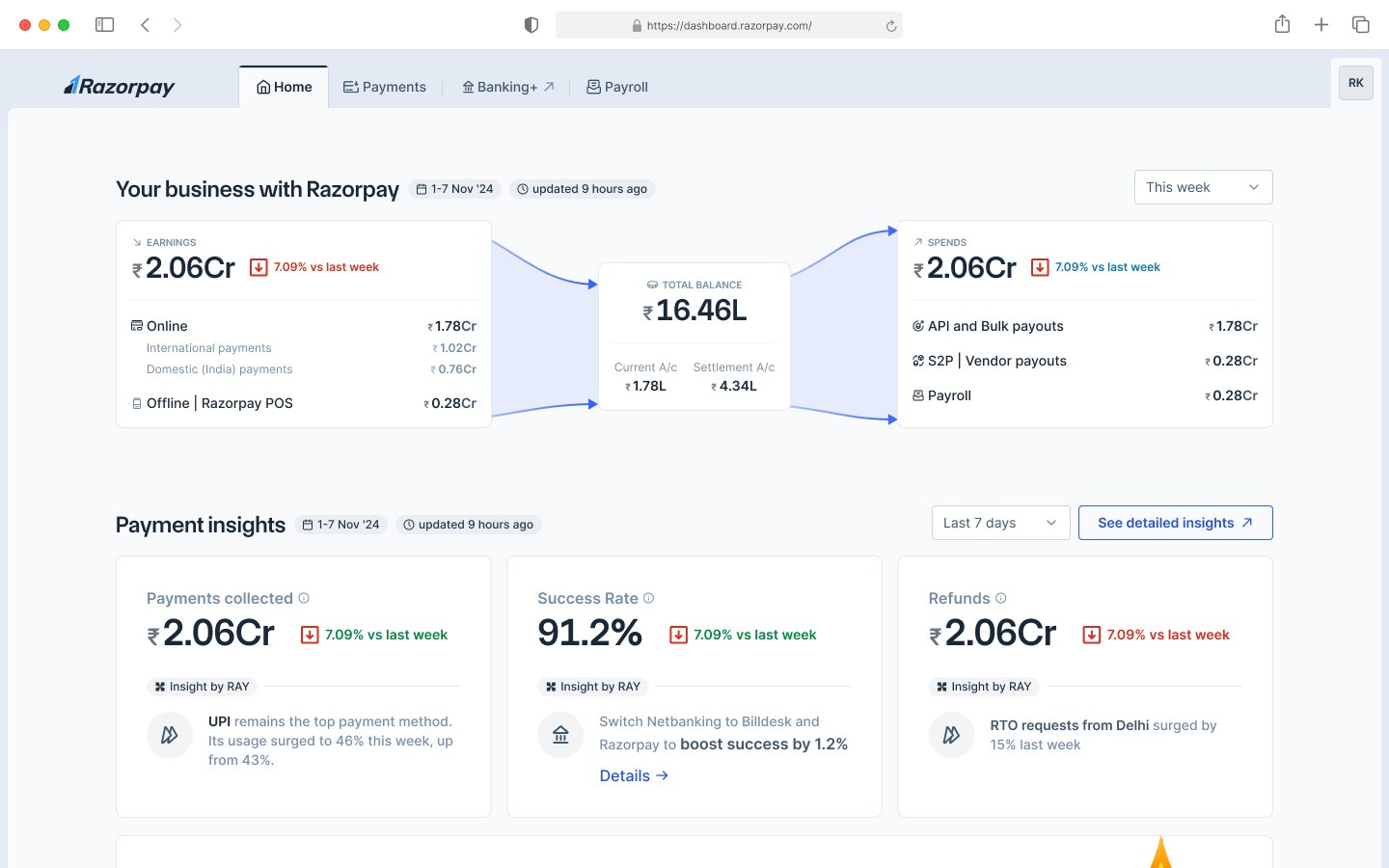
Kamlesh explained how the team uses this MCP for a few purposes:
Figma to code, with great results. “Our Blade MCP server converts Figma designs to code. Just grab the Figma frame, paste a link into the server, and then without prompting, you get production-ready code. A few stats:
70% of our frontend engineers have used it to build features without writing any single line of code.
75% accuracy on the first generation, without prompting (we measure this using evals). Devs iterate on the rest.
3x: devs reported shipping three times faster when building UIs from Figma designs.
We keep our Figma designs and code matching. For the release cycle of the design system, we only release a new component in Figma once the code for the component is released. We built tooling and scripts to validate the property structure on Figma. All this work seems to be paying off with accurate code generation.
Migrating existing code/UI to the new design system: Blade MCP made it easier and faster. We’re now building an agentic workflow to make migration autonomous via agents”.
Something that got my attention is how Razorpay has opened up “vibe coding” to non-devs. Kamlesh, again:
“This MCP acts as our ‘internal Lovable’ tool for PMs/designers/anyone else. It enables all of these non-engineers to vibe code their ideas, using the design language of Razorpay, and take it to production.
Our issue with existing vibe coding tools was that they could not generate minimum viable products(MVPs) that follow the internal design guidelines and coding practices. But with our Blade MCP, we can scaffold a base template with our coding practices, and then the UI can be built using our design language, tested using Playwright MCP, and deployed using our DevOps MCP, so now it’s a lot easier to take apps prototyped like this to production”.
Internal MCP servers that keep evolving
A principal engineer at a startup shared an interesting emergent model of experimentation with MCP:
“I started off a project of setting up an internal agent with the expectation that it would just be used to triage tech support tickets. However, after I showed it to a few colleagues, everyone wanted to use it, and they all started using it for their own things.
The way that I see things progressing is that you share your internal server, and then it starts to shape up. So, like me, you set up an agent with all of these MCP tools in various internal systems. At first, it’s a free-for-all: anyone can come and use it. But as people start using it more, repeatable workflows and effective prompts will begin to emerge, and we will extract and formalize those.
Some things will definitely stay loose and ad-hoc, of course. For example, one of the biggest use cases so far is just keeping ad-hoc data queries off of the plates of our data team. Before, they would interrupt us with things like “what do usage patterns for this new feature look like?”. Now, they can simply ask this of the agent that has our MCP connected to it”.
Many ways to use MCPs
The list of examples goes on, evidently. I reckon a lot of innovation is happening inside teams, with MCPs allowing devs to do things more easily, and for non-devs to get access to data, systems, and functionality.
External MCP servers and their relatively small usages don’t tell the whole story of what’s going on: within trusted boundaries where security is not a worry, they’re widely-used powerful components for working with agents.
4. Popular public MCP servers
We know there’s a “power law” at play in which a few MCP servers get outsized public usage. I reached out to Sentry and Linear about what they’re seeing.
 | A guest post by
|