
How Uber uses AI for development: inside look
How Uber built Minion, Shepherd, uReview, and other internal agentic AI tools. Also, new challenges in rolling out AI tools, like more platform investment and growing concern about token costs

Before we start: all The Pragmatic Summit videos are now available to view. Paid newsletter subscribers also have access to each session with the Q&A session, as well.
Update on 11 March: the Uber team shared updated numbers as of March 2026:
84% of devs at Uber are agentic coding users (either using CLI-based agents or making more agentic requests than tab-completion in their IDE)
65-72% of code is AI-generated inside IDE-based tools. This number is, naturally, 100% for AI command line tools like Claude Code.
Claude Code usage nearly doubled in 3 months — from 32% in Dec to 63% in Feb, while IDE-based tools (Cursor, IntelliJ) have plateaued.
The article is updated with these new and correct numbers.
I spent four years working at Uber until 2020 and experienced firsthand the company’s standout engineering culture. Uber is a company that did the speed run of going from a small startup, through hypergrowth, to being a large company facing major risk during the pandemic, when the rideshare business briefly collapsed. Today, it’s maturing as a publicly traded, profitable company, and employs almost 3,000 people in the tech function.
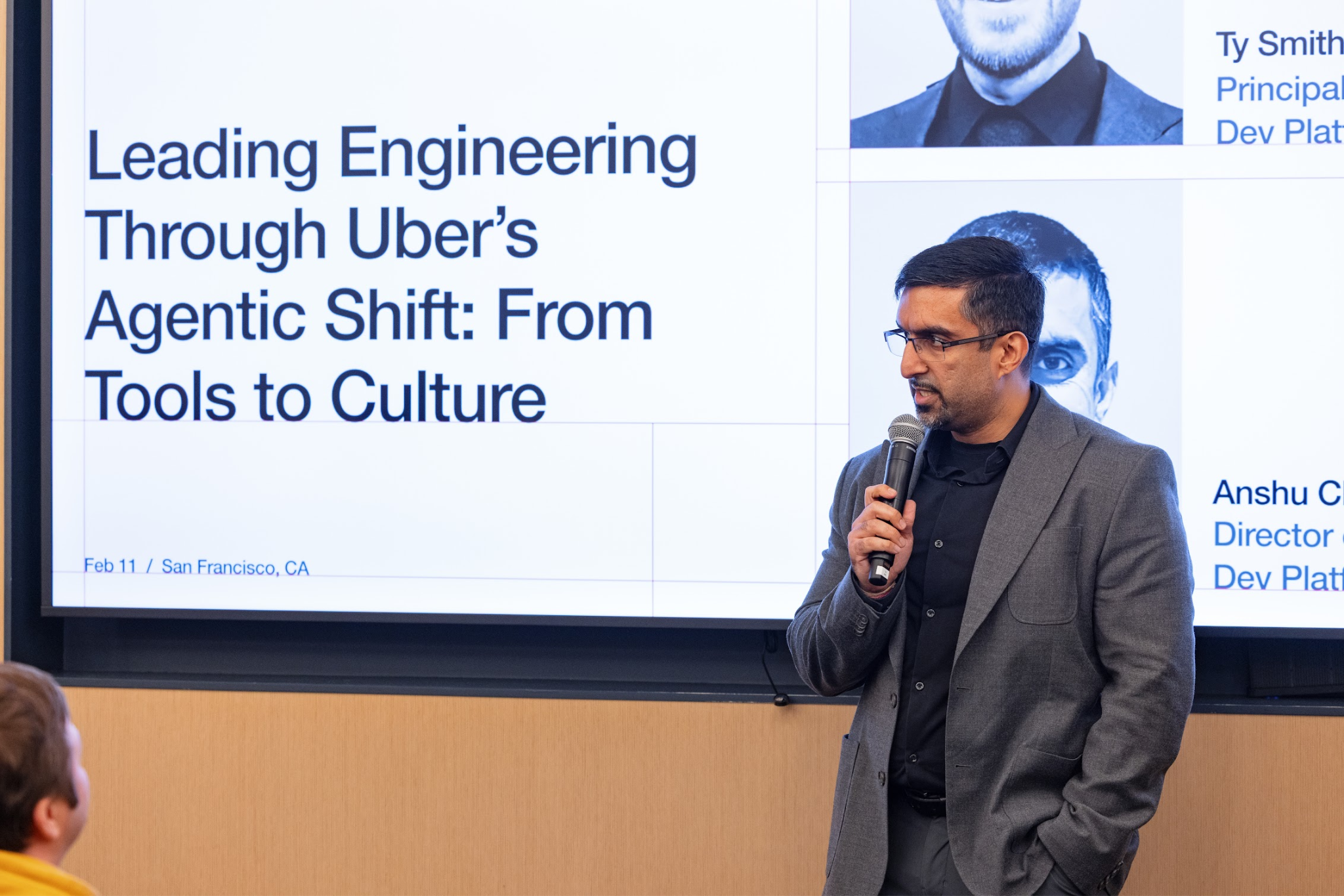
At the recent Pragmatic Summit in San Francisco, one of the most interesting behind-the-scenes sessions came from the ridesharing company’s principal engineer, Ty Smith, and director of engineering Anshu Chada, who pulled back the curtain on what Uber has been doing with AI tools, internally. They were candid about the amount of work it took to build up Uber’s internal “AI stack,” why all that work was necessary, and also discussed the drawbacks as well as benefits of this rapidly spreading technology. You can watch their presentation at The Pragmatic Summit here.
In today’s issue, we cover:
Agentic layers & systems. Four layers spanning an internal AI platform, context sources, industry tools, and specialized agents for testing and code review.
Internal tooling: MCP Gateway, Uber Agent Builder, and the AIFX CLI. Uber built several internal tools to make it easier for devs to use AI tools, and to make internal AI agents more effective.
How AI changes developer workflows. A move away from single-threaded coding in an IDE, to orchestrating multiple parallel agents. Engineers naturally gravitate toward kicking off new agents, which starts to create resource and cost challenges.
Minion: running background agents at scale. Uber built Minion, an internal background agent platform with monorepo access and optimized defaults. It’s a clever abstraction layer that works well in practice.
New internal dev tools. More AI-generated code means more code reviews and more noise, so Uber built Code Inbox for smart PR routing, uReview for high-signal AI code review comments, Autocover for generating 5,000+ unit tests per month, and Shepherd for managing large-scale migrations end to end.
Challenges. AI adoption is slower than expected, even at a forward-thinking company like Uber. Top-down mandates are less efficient than engineers sharing their wins with peers.
Impact in numbers. 92% of Uber devs use agents monthly, 65-72% of code is AI-generated inside IDEs, and 11% of pull requests opened by agents. At the same time, AI-related costs are up 6x since 2024, and token cost optimization is a growing priority.
Longtime readers might recall we’ve covered Uber’s engineering culture over time:
Developer Experience at Uber – with Uber’s founding engineer on Developer Platform, Gautam Korlam (2025)
Let’s get into it:
AI is not new at Uber, but rolling it out companywide is. The company has used machine learning and AI technologies in many systems, including its Marketplace platform, which are responsible for routing and matching drivers with riders, forecasting demand, etc. What is relatively new at nearly all tech companies is the process of integrating AI across engineering and beyond.
The official strategy at the ridesharing giant is to become a “GenAI-powered” company:
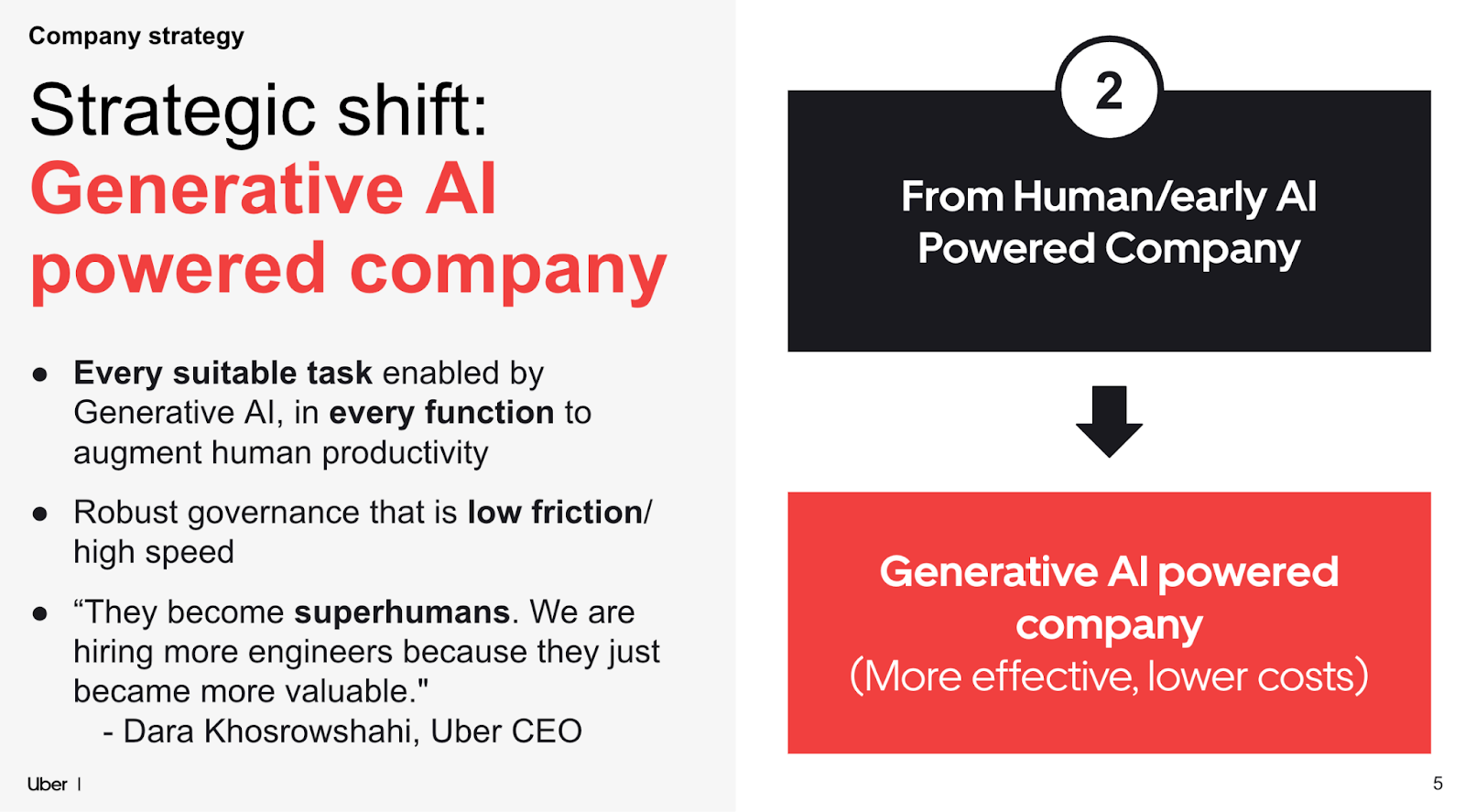
I appreciate Uber sharing this approach openly because while most companies say that they want to be “AI-powered” – however cliche that claim might be – not all provide as much transparency.
It’s worthwhile engineers internalizing how leadership views AI. These folks, in general, see a tool that can bring efficiency everywhere. My take is that in some ways, AI is seen similarly to the cloud, which has been perceived as a means to reduce costs and improve the flexibility and elasticity of hardware resources. Today, AI is seen as the way to increase efficiency and lower costs, such as customer support, software development, the finance function – or any function.
Uber is focusing not on automating everything possible in engineering. Instead, it wants to:
Eliminate toil: helping AI do “boring” work like upgrades, migrations, trivial bug fixes, etc.
Free up engineers to focus more on creative work.
As Anshu Chada, Engineering Director on Uber’s Dev Platform, puts it:
“What we found is when we push some of the boring stuff to AI – upgrades, migrations, bug fixes – not only does it result in much higher satisfaction from our engineers, but they’re able to push our product and create features for end users in ways that we didn’t even think were possible.”
1. Agentic layers & systems
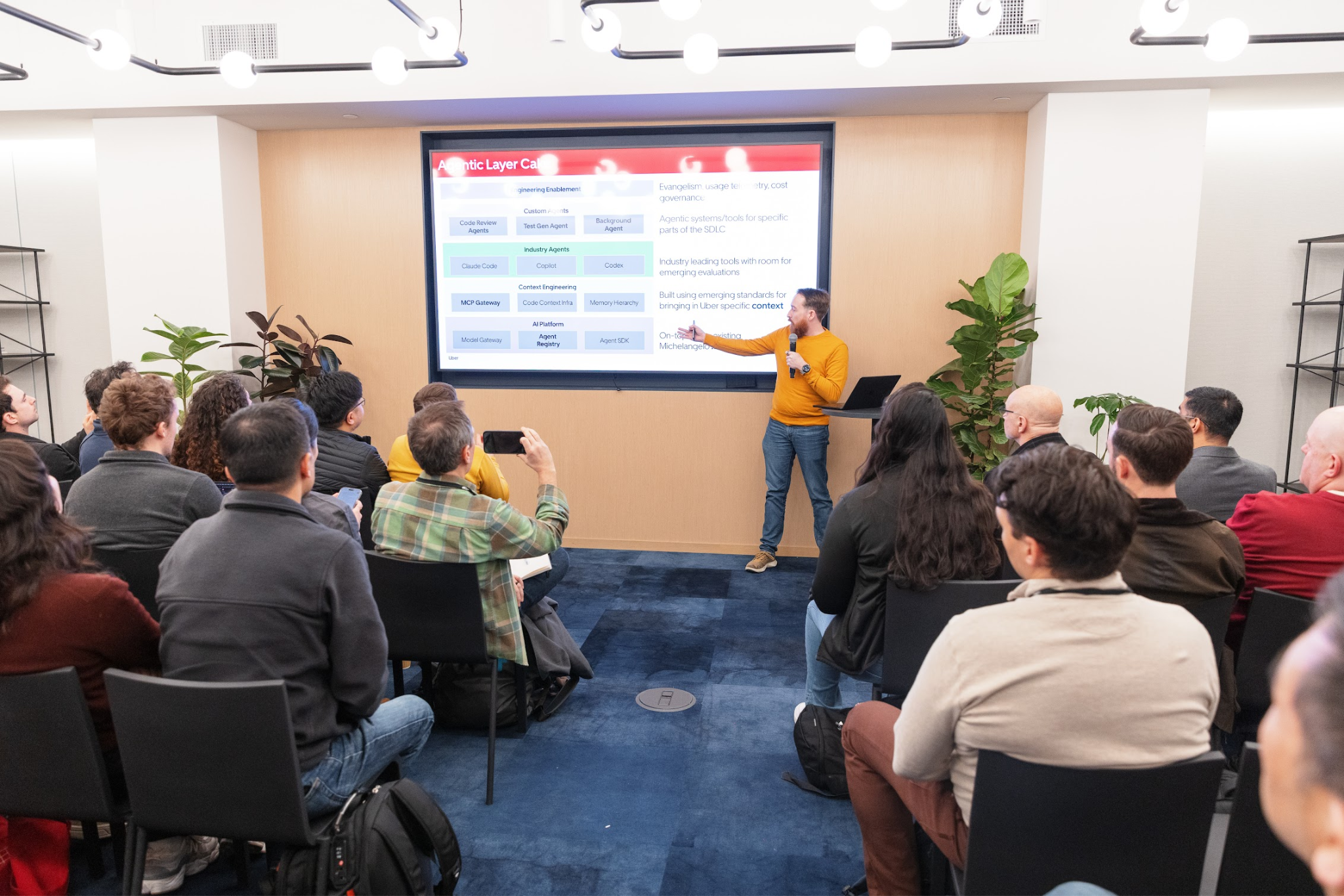
Uber’s “agentic system” for software engineering is actually made up of several systems:
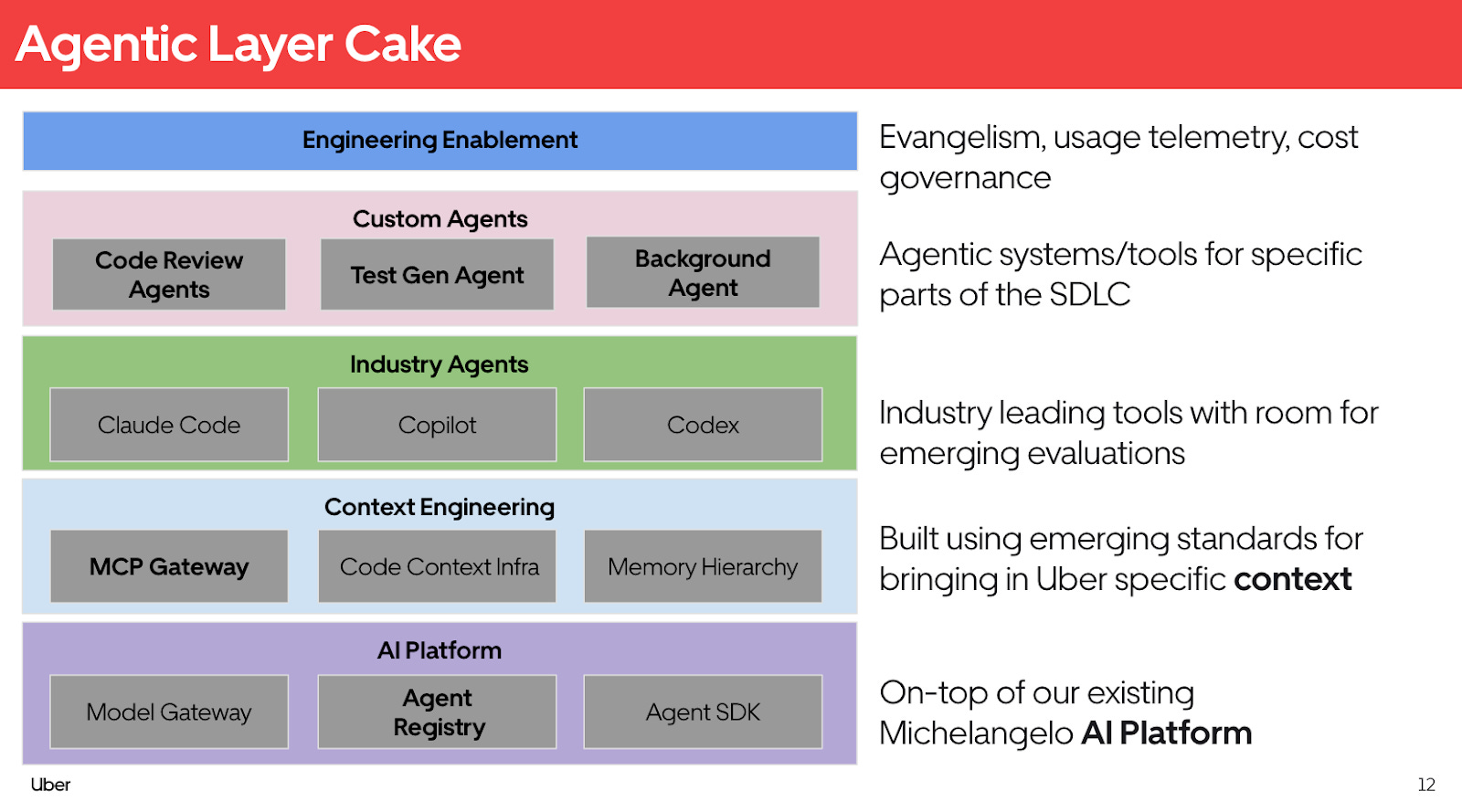
Categories of systems:
Internal AI platform. Built on top of Michelangelo, Uber’s ML/AI platform. This layer provides things like a model gateway to proxy to frontier models or internally hosted models.
Internal Uber context: accessing Uber’s source code, engineering documentation, Slack information, JIRA tickets, etc. These all serve as “memory” for agents to use.
Industry agents: Uber’s approach is to enable the “latest & greatest” AI agents for engineers, so they support several tools like Claude Code, GitHub Copilot, Codex, and other clients.
Specialized agents: Uber’s background agent platform, the test generation platform, code review agents, and more.
Engineering enablement: measuring the efficiency of agents, controlling costs, and educating engineers about which tools to use.
2. Internal tooling: MCP Gateway, Uber Agent Builder, and the AIFX CLI
MCP – the Model Context Protocol – has quickly become the standard way to connect agents and data sources with one another. A frequent analogy is that MCP is like the “USB-C interface for AI agents.” We published a deepdive on the MCP protocol and covered real-world MCP server use cases.
Uber put together a “tiger team” (a temporary unit that gets things done fast) to design the MCP strategy and build the central MCP gateway, which looks like this:
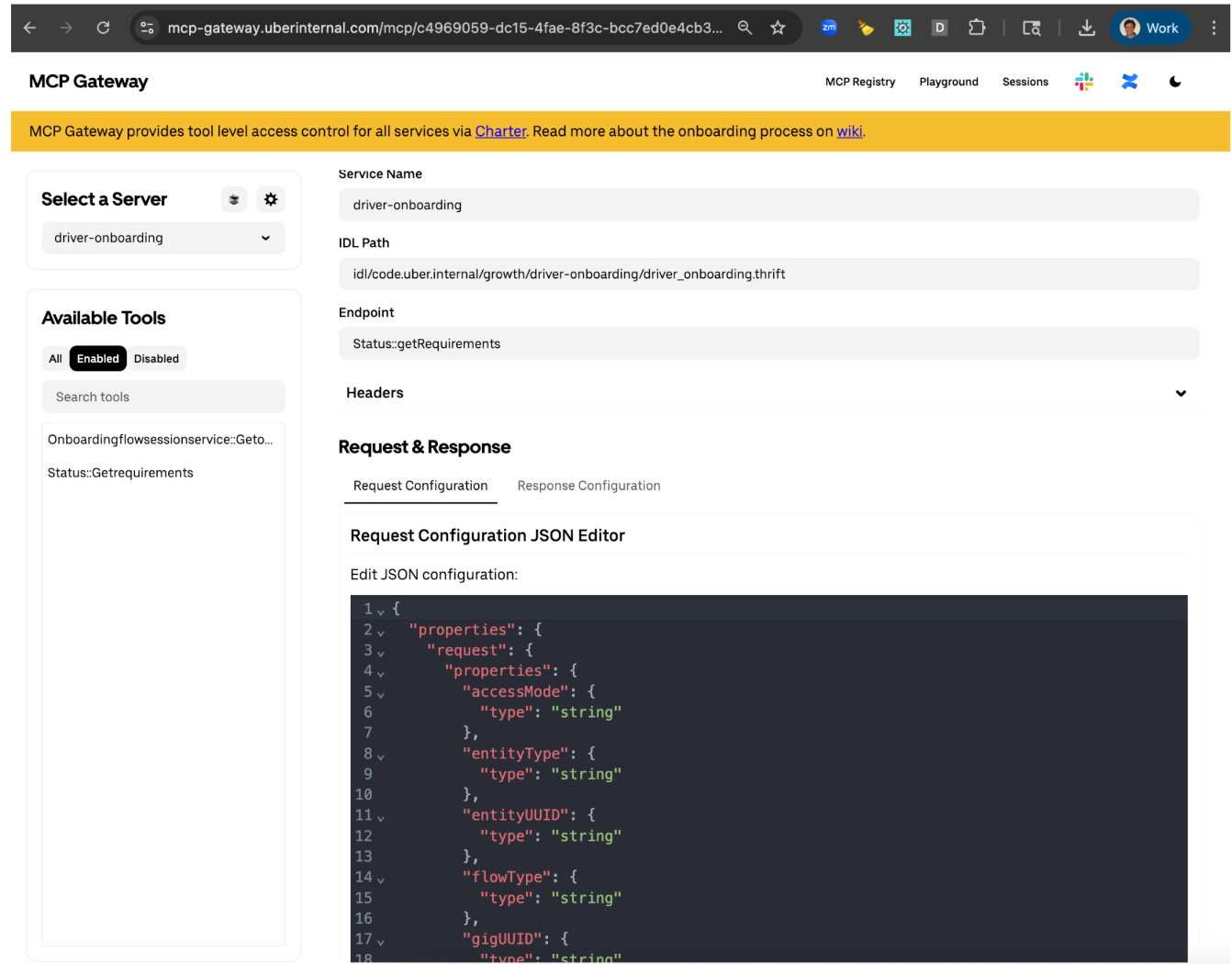
This MCP gateway allows:
Proxy internal endpoints to MCPs: any internal Thrift, Protobuffer, or HTTP endpoint can be exposed as an MCP server with a simple configuration change. Uber uses the Apache Thrift protocol and Protobuffer protocols extensively for backend service communications
First-party MCPs: these are exposed as a single, consistent interface
Third-party MCPs: external MCP servers are also exposed via the gateway, which handles all authentication and authorization tasks.
Platform concerns: the gateway takes care of authorization, telemetry, and logging in one central place. Plus, it conveniently offers a unified interface to interact with any MCP.
The MCP gateway also provides:
A registry: to look up MCP servers, and for devs to be able to register their own.
A sandbox: for devs to experiment with MCP servers without long-winded setups.
Uber Agent Builder
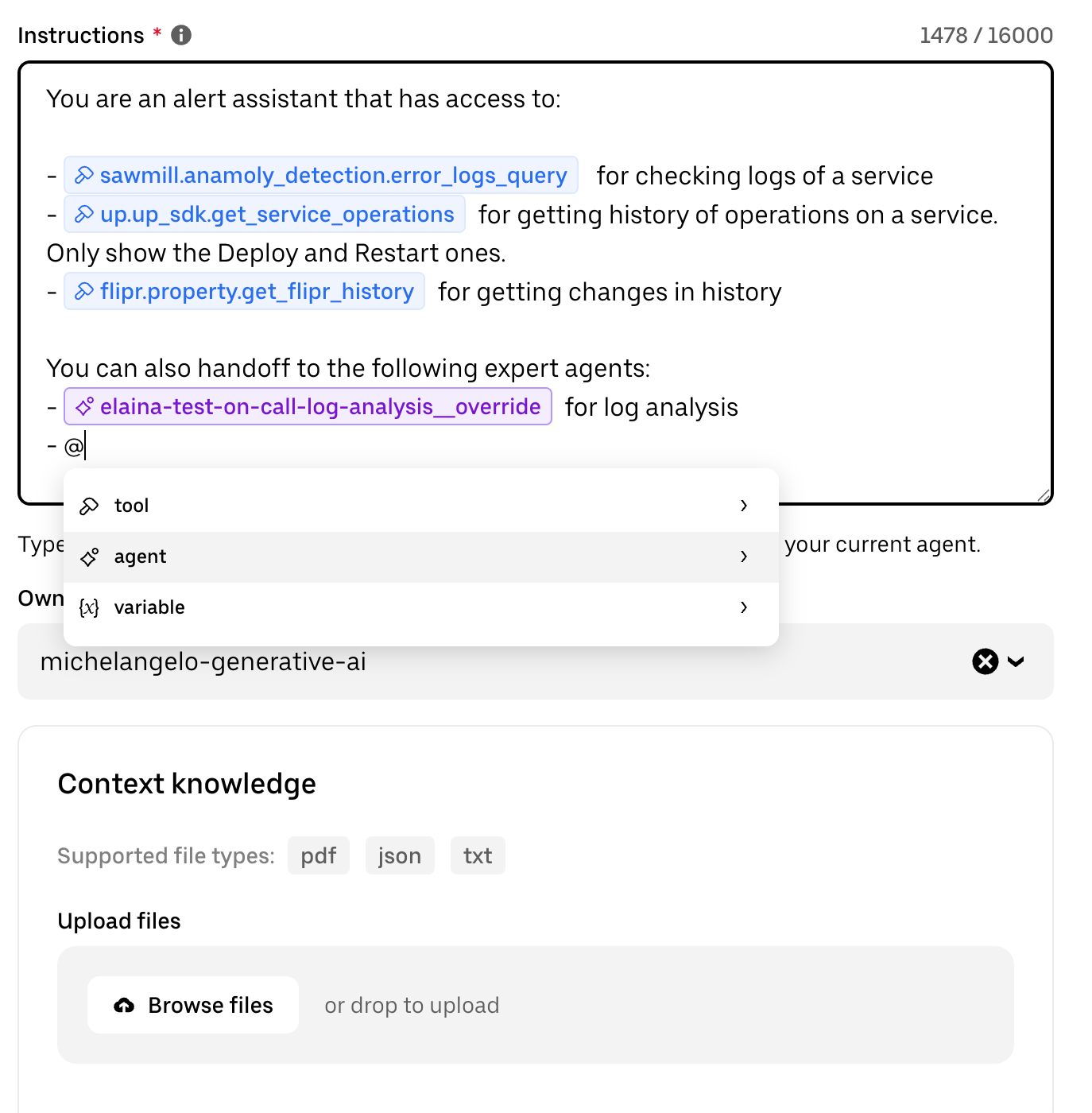
Uber’s Agent Builder product is a no-code solution to build agents that can access Uber’s internal data sources (both MCP servers and Uber data sets), and hand off work to other agents:
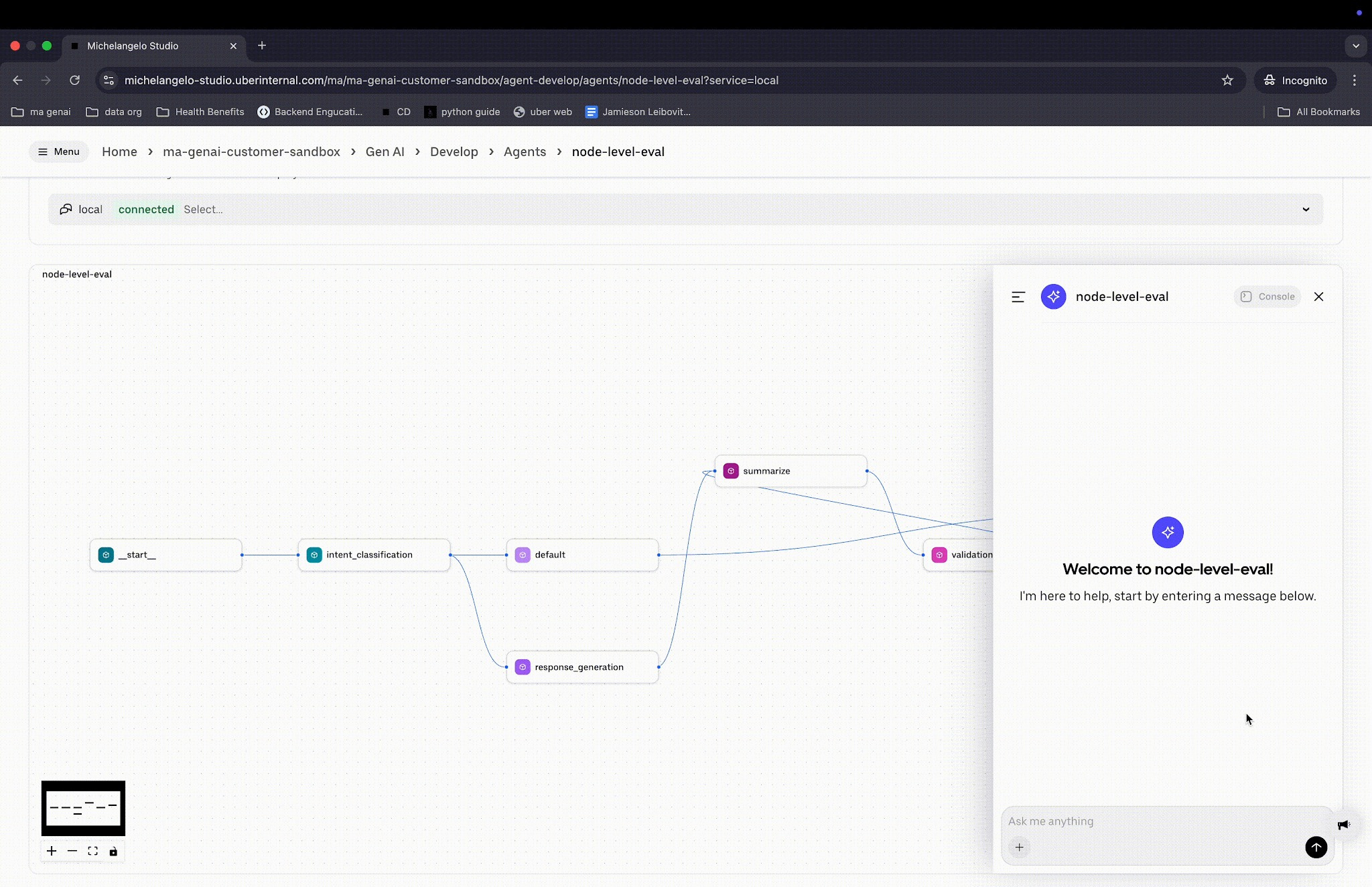
The platform includes a tool called Agent Studio, where multi-agent workflows can be visualized, debugged, traced, versioned, and evaluated. This is how it looks:
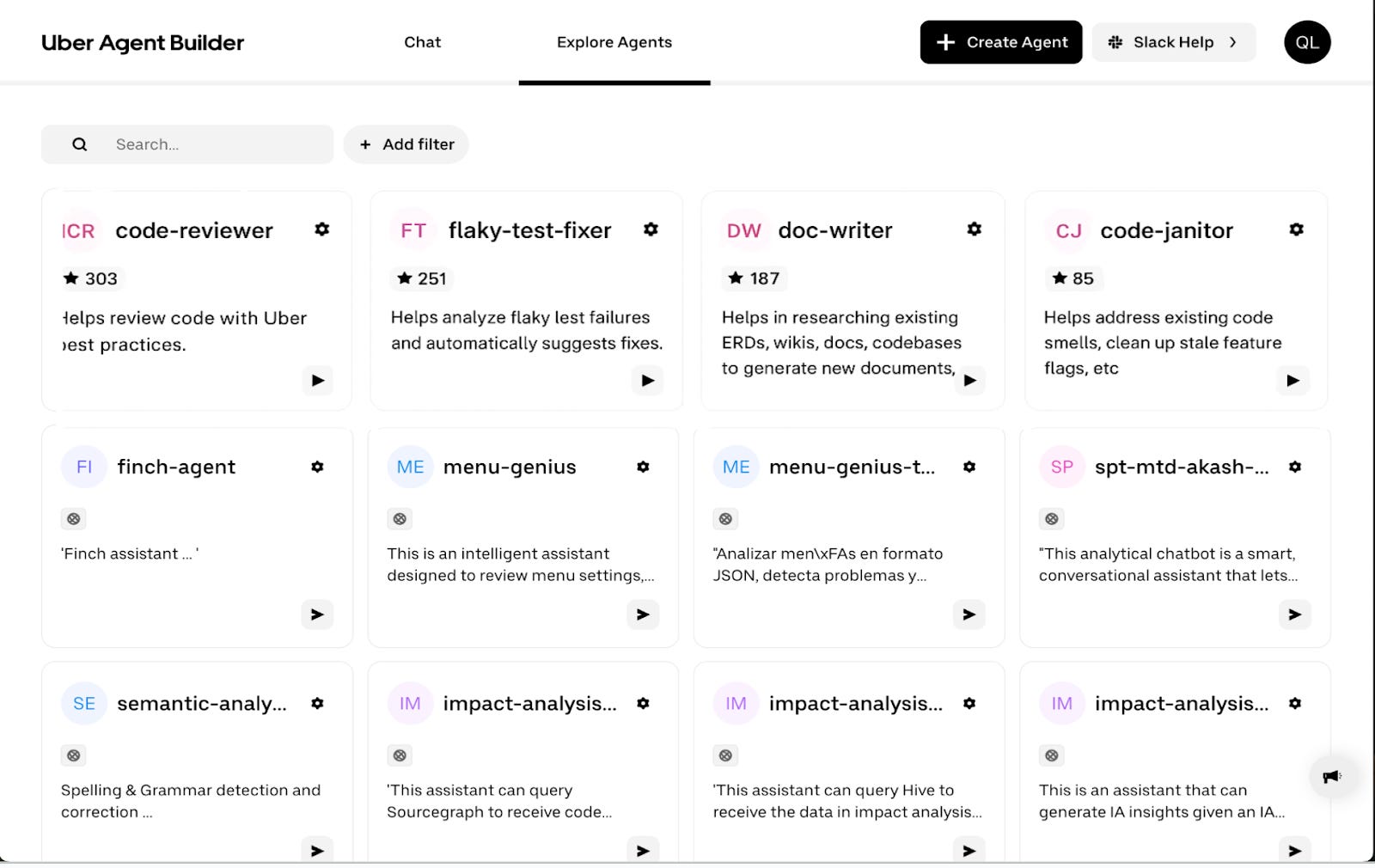
The agents built in Agent Builder become discoverable through a registry:
Accessing agents via the AIFX CLI
Uber’s Developer Experience platform team had a few issues with deploying AI agent tooling at scale:
How does the company update all clients when a new version comes out? For example, if a new version of Cursor is released, how can they ensure all devs use the latest one?
How can the clients be configured with helpful defaults? Uber’s Dev Platform team might have found better defaults for tools, like more helpful models. How are these rolled out to all devs?
How can devs easily discover MCP servers and configure them for agents?
How can agents connect to Uber’s background task infrastructure?
The Dev Experience team built the AIFX CLI, which is the AI tooling command line used by all engineers there. Here’s what it looks like:
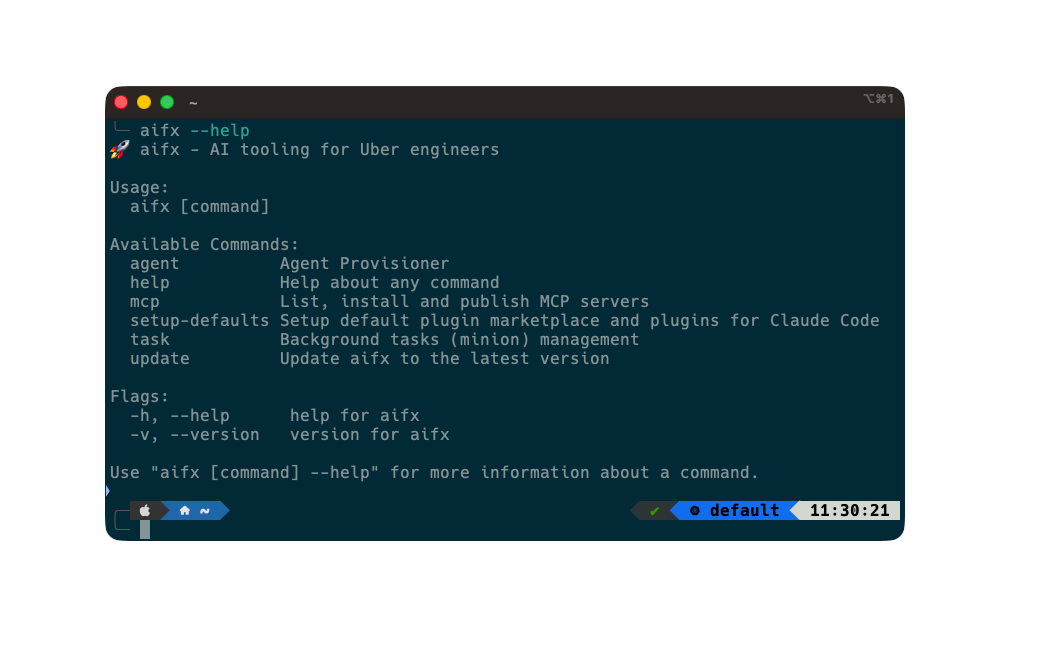
This tool supports:
Provisioning AI agents (client tools like Claude Code, Codex, Cursor, and others)
Finding and using MCP servers
Running background agent tasks
Updating AI agents and clients to the latest versions
3. How AI changes developer workflows
The traditional way of building software:
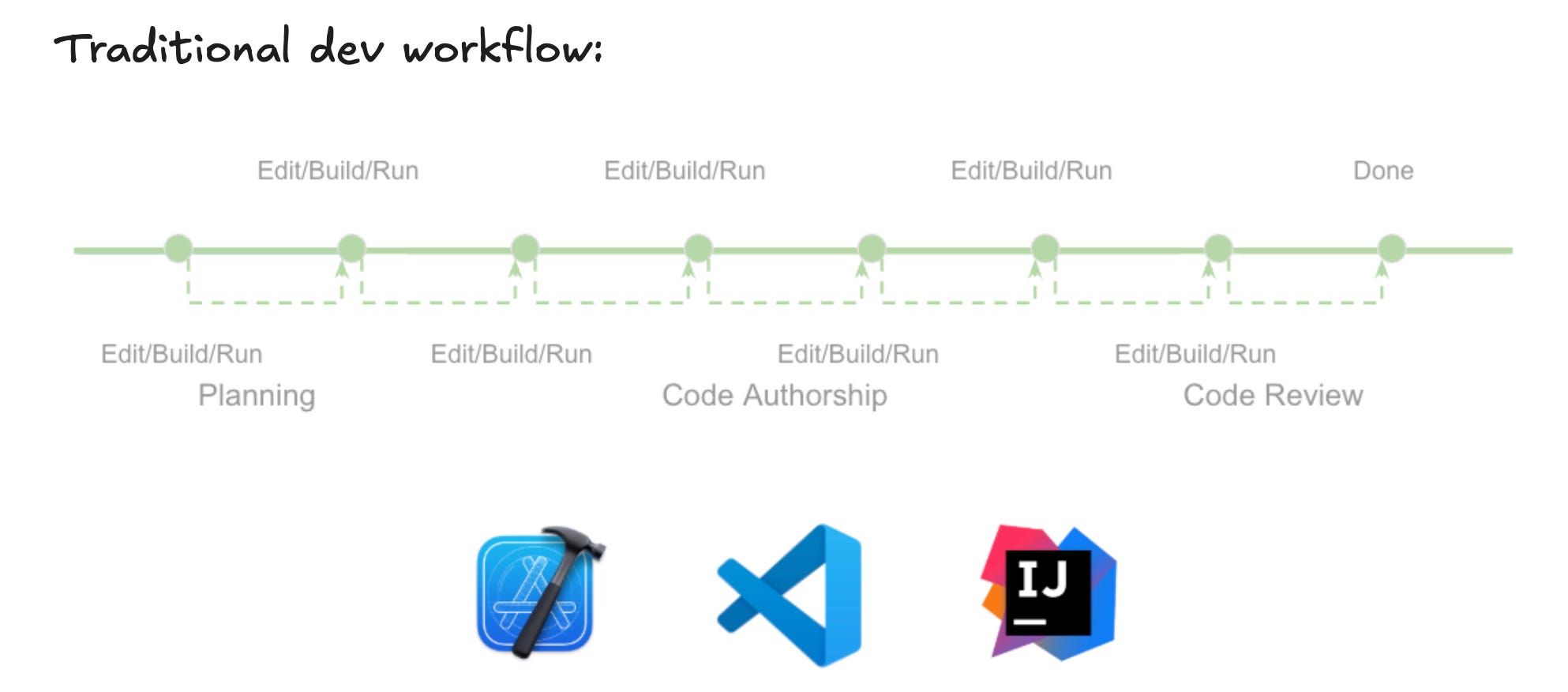
Devs spent some time planning, most time writing code (code authorship), and then some time in code review.
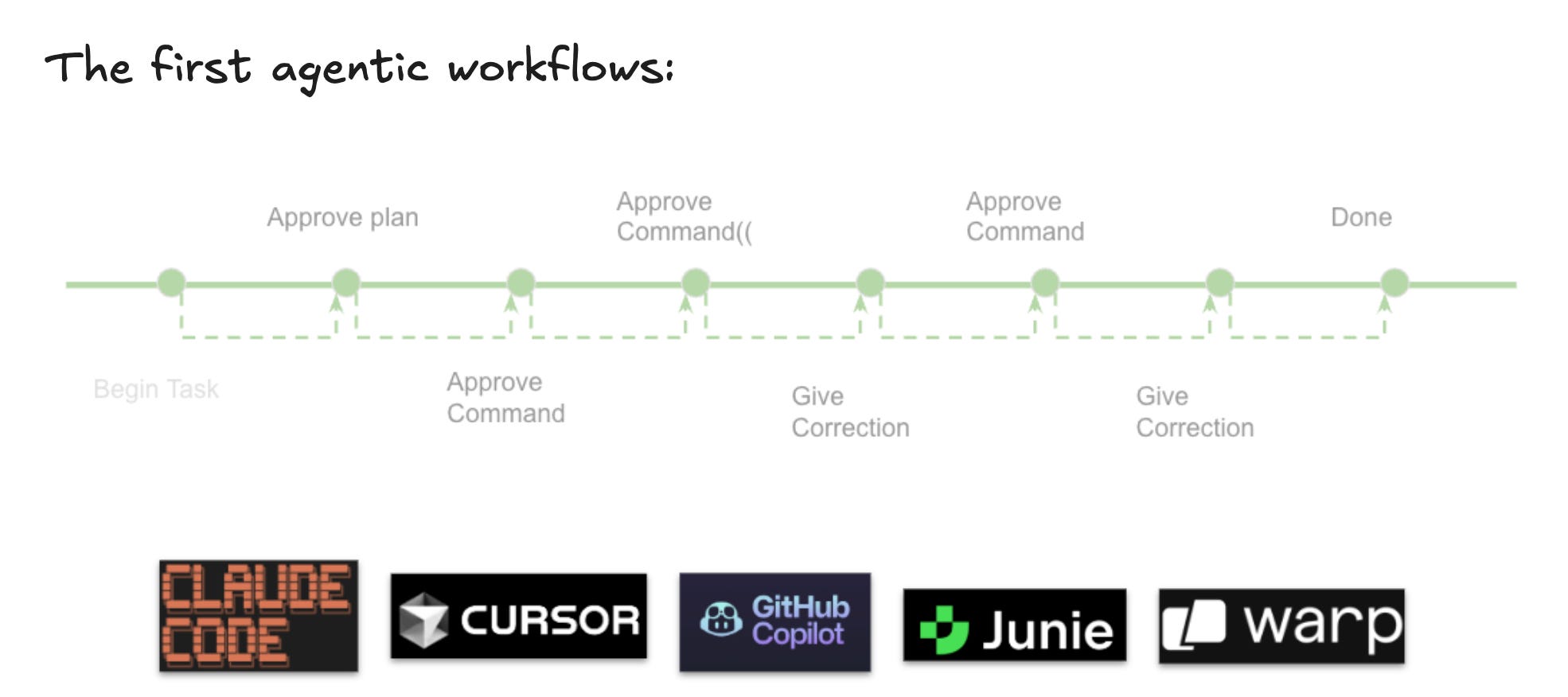
The first AI agent-based workflows were single-threaded: devs worked with a single agent in the command line or inside their IDE:
At Uber, the latest workflows which many software engineers follow are pretty different, involving parallel agents, each kicked off with their own tasks:
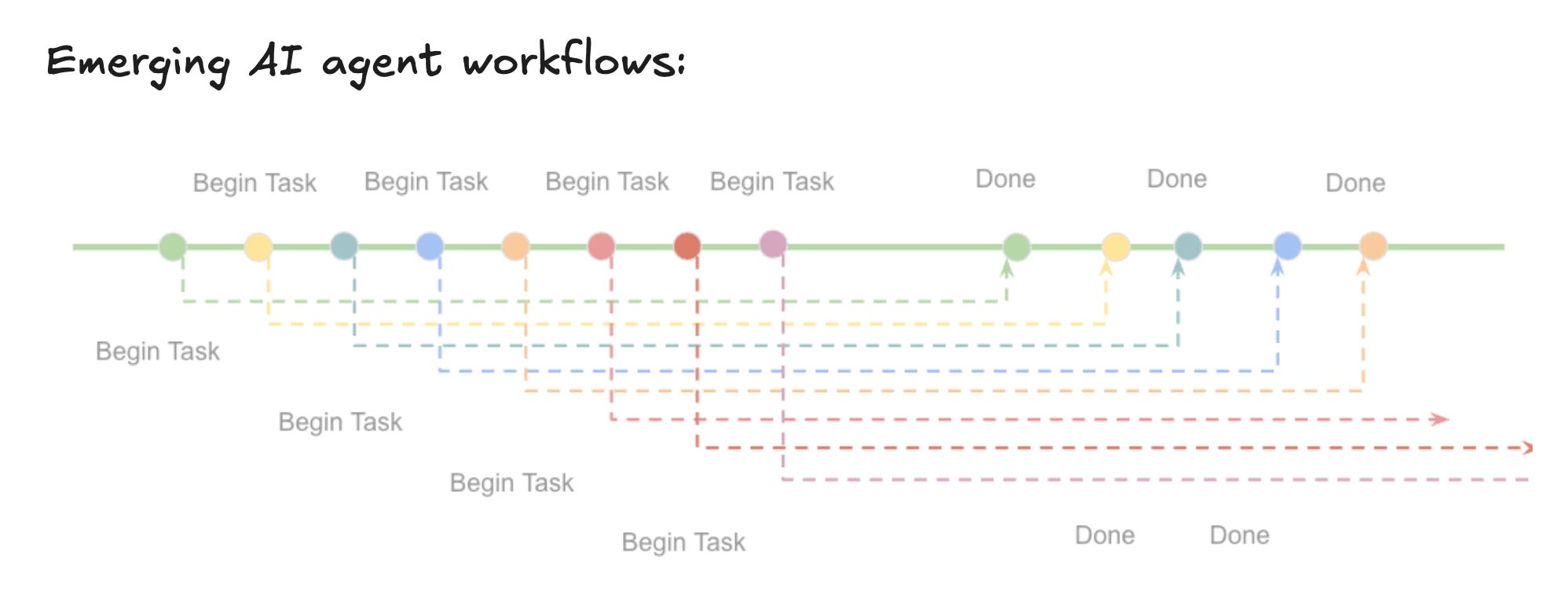
As Ty explained, running multiple agents comes naturally to most devs:
“[Once you start using agents] as an engineer, you’re giving a prompt and waiting for something. While it’s running and you’re waiting you’re thinking: ‘What am I going to do? Have a coffee or browse Reddit? Might as well kick off another background agent.’
And so, engineers get into this mode of running several agents at once, right? Both us [at Uber] and a lot of the industry is trying to push towards this.”